 Lenka Stehnová
Známe to všichni – z focení upravím 10 -20 finálních fotek a teď chci ke každé fotce vytvořit ještě černobílou variantu. Jak na to co nejrychleji v Lightroom Classic?
To ti ukážu v tomhle videu 🙂
Chceš umět v Lightroom jako profík?
Adobe Lightroom Classic je za mě nejlepší nástroj na úpravu fotek. Je ideální vlastně pro každého – hobby fotografa i profíka. Skvěle se v něm fotky třídí, lehce upravují i exportují.
CHCEŠ SE NAUČIT V LIGHTROOM SNADNO A RYCHLE?
Mrkni na můj KURZ PRO ZAČÁTEČNÍKY – je online, srozumitelný a zvládneš ho z pohodlí domova i při nabitém harmonogramu 👌📚
Veškeré info o kurzu LIGHTROOM včetně ceny, ukázek i recenzí TADY >>
⭐️ PS Moje kurzy Lightroomu a Photoshopu ⭐️
Lightroom kurz pro začátečníky >>
Komplexní kurz Photoshopu od A do Z >>
Pro další TIPY mě sleduj na Instagramu @milujifoceni.cz a také se přidej do FB komunity Miluji focení


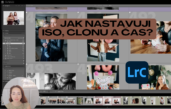
 Nevíš si rady, jak nastavit foťák? Takhle nastavuji ISO, clonu a čas já. (Praktická video ukázka pro začátečníky 📷)
Začínáš fotit a pořád trochu tápeš, jak nastavit fotoaparát na manuální režim? Nejsi…
 Jak se odlišit jako fotograf v moři konkurence díky správně nastavené službě
Pokud fotíš – a speciálně tehdy, pokud ještě nemáš stálé klienty, kteří…
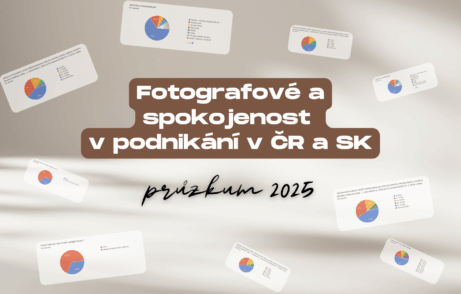 Fotografové a spokojenost v podnikání v ČR a SK - průzkum 2025
Stejně jako každý rok jsem i letos připravila průzkum mezi fotografy z…
 Miluji focení
Podcast (nejen) pro fotografy, kteří hledají každodenní inspiraci a motivaci k vlastní tvorbě.
JDEM DO HLOUBKY … Článků o tom, jaký vybrat do začátku foťák už bylo napsáno dost. Pojď se zaposlouchat do hlubších témat, které my tvůrci prožíváme.
Osobní rozvoj, komunikace, psychologie focení a podnikání, rozhovory – na to vše se můžeš těšit.
Autorka: Lenka Stehnová
WEB: milujifoceni.cz
IG + TikTok: @milujifoceni.cz
YouTube: @milujifoceni
FB komunita: Miluji focení#36: Proč jsou fotografové tak přecitlivělí? A proč se bojí AI a hádají kvůli cenám?Upřímně o fotografech, přecitlivělosti, strachu z AI, cenotvorbě i o tom, proč už mě nebaví fotografické podcasty a rozhovory. Navíc přidávám dva praktické tipy k editacím. 📷🎙️
2 nová videa:
1) Svatební pár ve městě a 2) Jak fotit s externím bleskem jednoduše TADY >>
Autorka: Lenka Stehnová
Web: milujifoceni.cz
IG + TikTok: @milujifoceni.cz
YouTube: @milujifoceni
FB komunita: Miluji foceníSearch Results placeholder-
-